在执行AB7.0.16定时备份达梦数据库时出现错误,具体表现为bakres与DMAP之间的通信失败,错误代码为-7169,这通常意味着备份进程无法正常连接到数据管理应用程序接口(DMAP),导致备份操作中断或失败,建议检查网络连接、服务状态以及相关配置以确保通信畅通。

<article class="py-6 md:flex-1 md:pt-0 md:pr-4" shenjian-bridge-node-id="sjb-1788491226050-428053">
<header class="mb-6 break-words">
<p class="mb-4 md-down:mt-6 text-xl font-semibold" shenjian-bridge-node-id="sjb-1788491226049-825494" shenjian-fields="">AB7.0.16定时备份达梦数据库失败报错:err_msg = bakres与DMAP消息通信失败, err_code = -7169</p>
</header>
<main class="relative">
<section class="content">
<p><b style="font-size: 20px;">关键字</b></p>
<p class="ql-indent-1">DMAP、7169</p>
<p class="ql-indent-1"><br></p>
<p><b style="font-size: 20px;">适用产品</b></p>
<ul>
<li>AnyBackup CDM 7.0.X.X</li>
<li>AnyBackup Express 7.0.X.X</li>
</ul>
<p><br></p>
<p><b style="font-size: 20px;">问题描述</b></p>
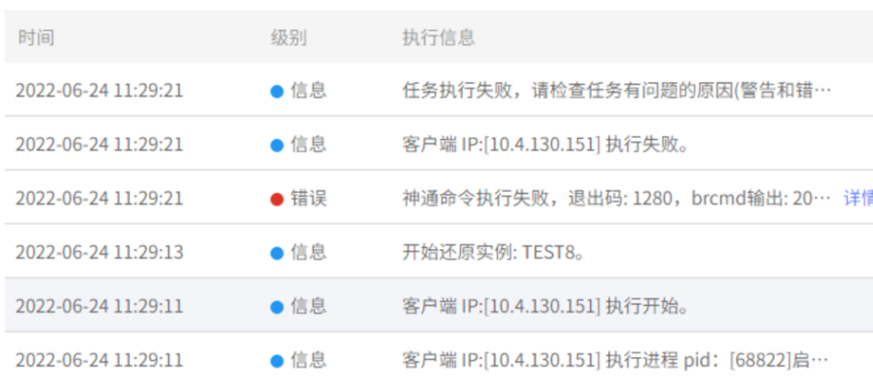
<p class="ql-indent-1">AnyBackup Express&CDM 7.0.16.0备份达梦数据库失败,提示错误信息:</p>
<p class="ql-indent-2"><i style="color: rgb(139, 0, 0);">err_msg = bakres与DMAP消息通信失败, err_code = -7169</i></p>
<p class="ql-indent-2"><img alt="image.png" src="https://binzhou.nuoboya.com/tu/dd5b6c38f8da31ab714f83a572a9ec0d.jpg"></p>
<p class="ql-indent-2"><br></p>
<p><b style="font-size: 20px;">问题影响</b></p>
<p class="ql-indent-1">达梦数据库无法正常备份恢复。</p>
<p class="ql-indent-1"><br></p>
<p><b style="font-size: 20px;">问题原因</b></p>
<p class="ql-indent-1">此问题为DmAPService服务停止或异常导致达梦发送启动备份和停止任务的消息发送失败。</p>
<p><br></p>
<p><b style="font-size: 20px;">解决方案</b></p>
<p class="ql-indent-1">为了解决该问题,需要先查看 DmAPService 是否正常启动,具体操作步骤如下:</p>
<p class="ql-indent-1">1.查询 DmAPService 服务路径。</p>
<p class="ql-indent-2"><i style="color: rgb(0, 0, 255); font-size: 12px;">find / -name DmAPService</i></p>
<p class="ql-indent-2"><img alt="image.png" src="https://binzhou.nuoboya.com/tu/4c3b1ace65d8c966e96d9c25e2407469(2).jpg"></p>
<p class="ql-indent-1">2.进入达梦安装用户。</p>
<p class="ql-indent-2"><i style="color: rgb(0, 0, 255);">su - dmdba</i></p>
<p class="ql-indent-1">3.进入查询到的 DmAPService 路径,并查询 DmAPService 服务状态。</p>
<p class="ql-indent-2"><i style="color: rgb(0, 0, 255);">cd /data/dm/dmdbms/bin/service_template</i></p>
<p class="ql-indent-2"><i style="color: rgb(0, 0, 255);">./DmAPService status</i></p>
<p class="ql-indent-2"><img alt="image.png" src="https://binzhou.nuoboya.com/tu/887628bd4e0cc1d2f35e086597a588b1(1).jpg"></p>
<p class="ql-indent-1">4.启动 DmAPService 服务,再次查询状态。</p>
<p class="ql-indent-2"><i style="color: rgb(0, 0, 255);">./DmAPService start</i></p>
<p class="ql-indent-2"><i style="color: rgb(0, 0, 255);">./DmAPService status</i></p>
<p class